Qwen-Image 2.1 is Alibaba's new open image model. It draws pictures from text and edits real photos. We ran it on one RTX 5090 at 8-bit and 4-bit.
In this blog, we will see the best image from each test and where it breaks. Then we will look at memory, speed, and what one image costs next to GPT Image 2 and Nano Banana Pro.
What Is Qwen-Image 2.1?
Qwen-Image 2.1 is built from three parts:
- The DiT (diffusion transformer) has 7.1B parameters. It turns random noise into an image, step by step.
- The text encoder is Qwen3-VL 8B. It turns our prompt into numbers the DiT can follow.
- The VAE has 0.34B parameters. It turns the DiT's output into real pixels.
In bf16, the download is 30.9 GB. That does not fit on our 32 GB card once Windows and the working memory for an image take their share. So we quantized it as it loads. Quantization stores each weight with fewer bits. Every weight stayed on the GPU, with no CPU offload.
Our Test Setup
| Item | Setting |
|---|---|
| GPU | RTX 5090, 32 GB of VRAM, driver 610.88 |
| OS | Windows 11 |
| Weights | Qwen/Qwen-Image-2.1, revision 790c926 |
| 8-bit | fp8 weights with fp8 activations (torchao), on the DiT and the text encoder |
| 4-bit | NF4 (bitsandbytes), on the DiT and the text encoder |
| Sampling | seed 11, 40 steps, about 1 megapixel |
We used one prompt per task.
Numbers in this post come from three sources:
- Measured on our rig: times, VRAM, energy and scores.
- Published list prices: GPT Image 2 and Nano Banana Pro.
- Derived: local cost per image, from measured GPU energy at an assumed $0.15 per kWh.
What Are the Best Images From Each Test?
This is the best result from each task, a showcase rather than a success rate.
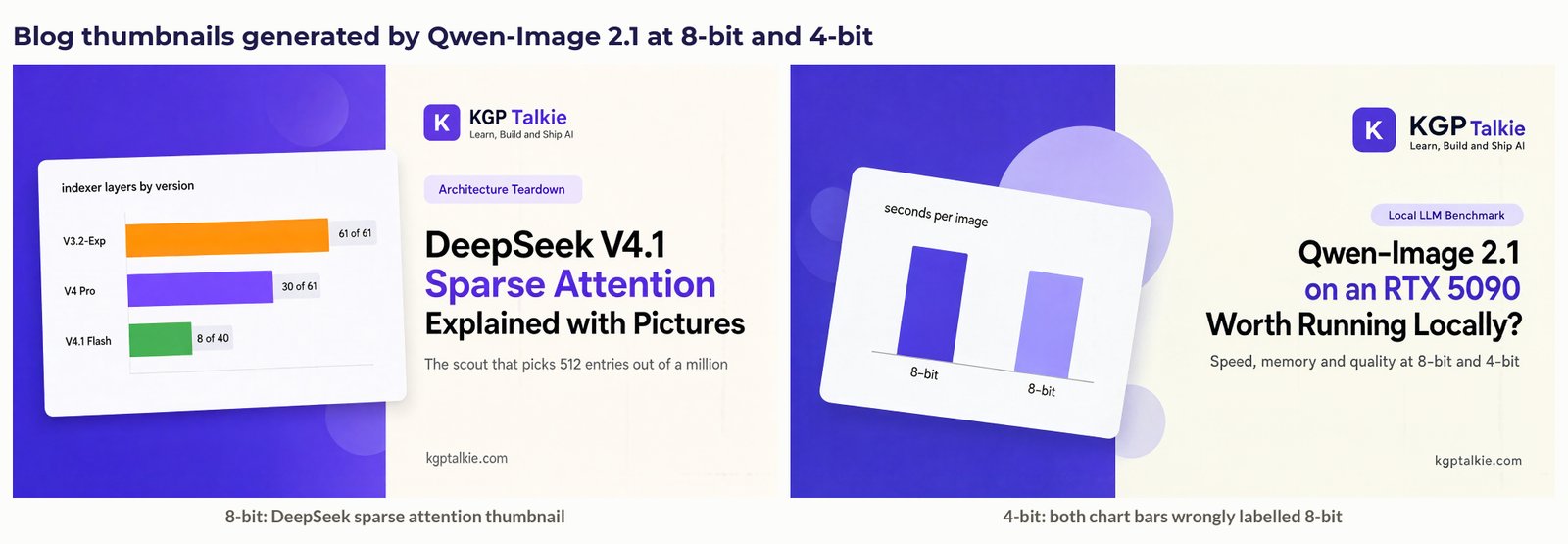
Blog Thumbnails
We described the kgptalkie thumbnail layout in words and asked for it at 1920x1088. The model drew the two-panel design, the K logo tile, the category pill and a three-line title.
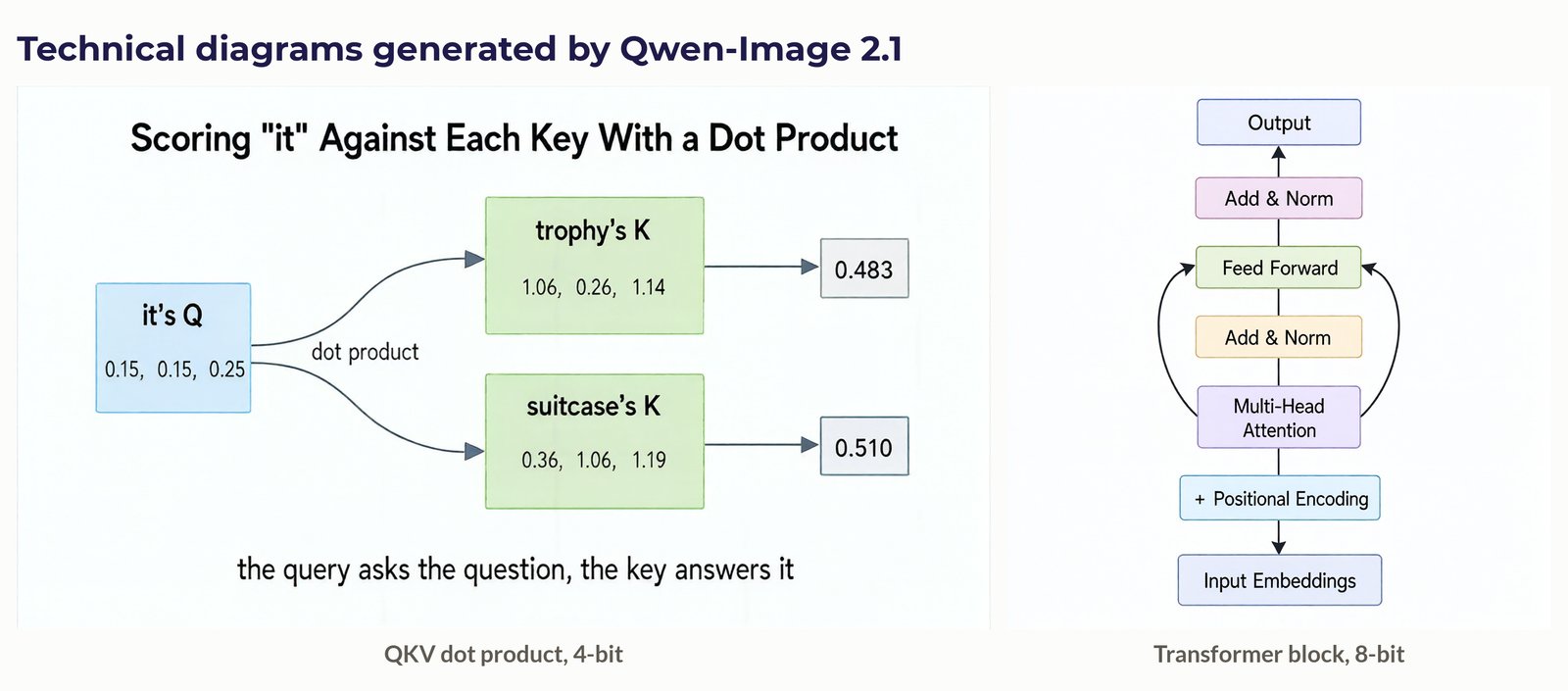
Technical Diagrams
The QKV diagram had every label and number correct at both 8-bit and 4-bit. The Transformer block had the right order and both residual arrows.
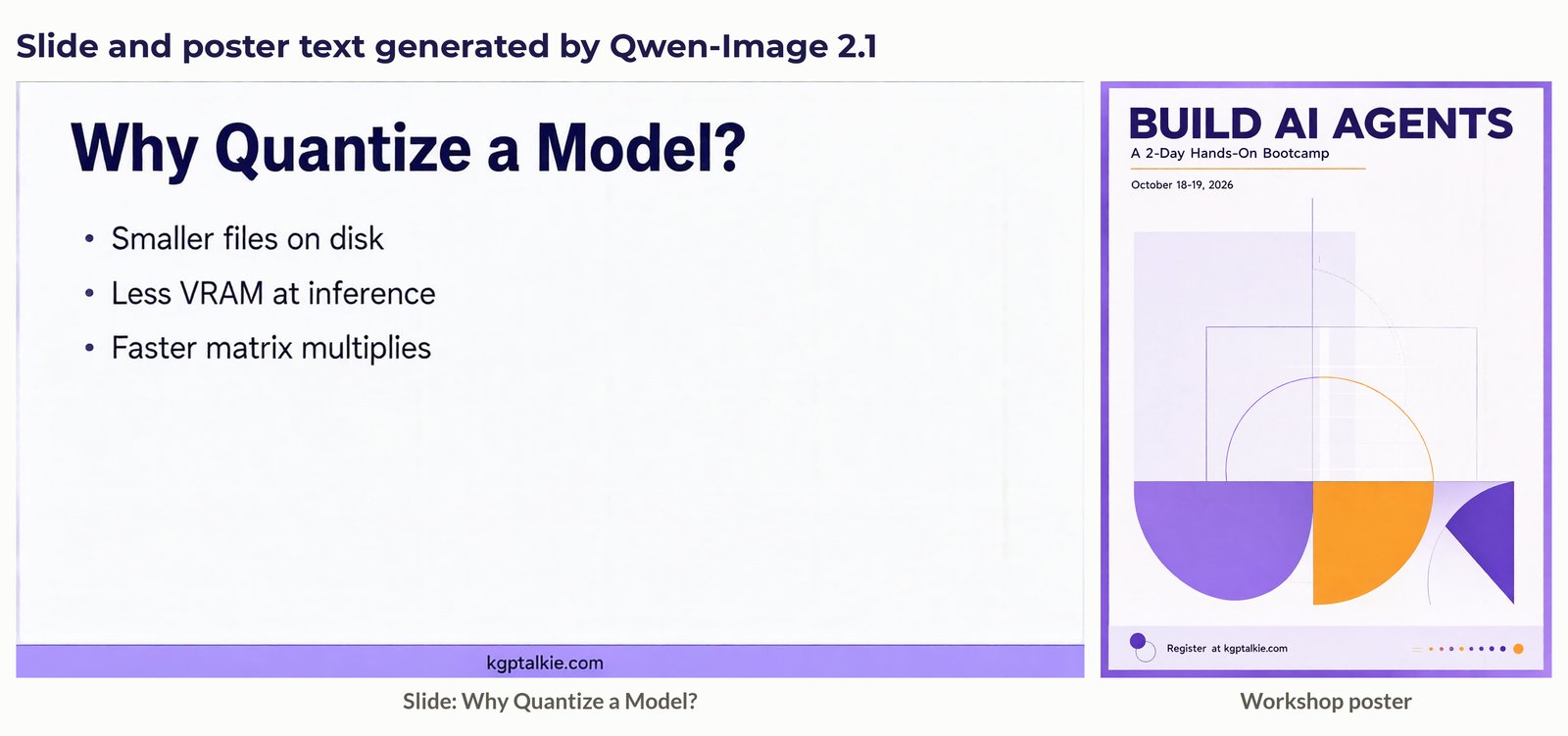
Text on Slides and Posters
The slide text was exact at both precisions, and the poster was clean.
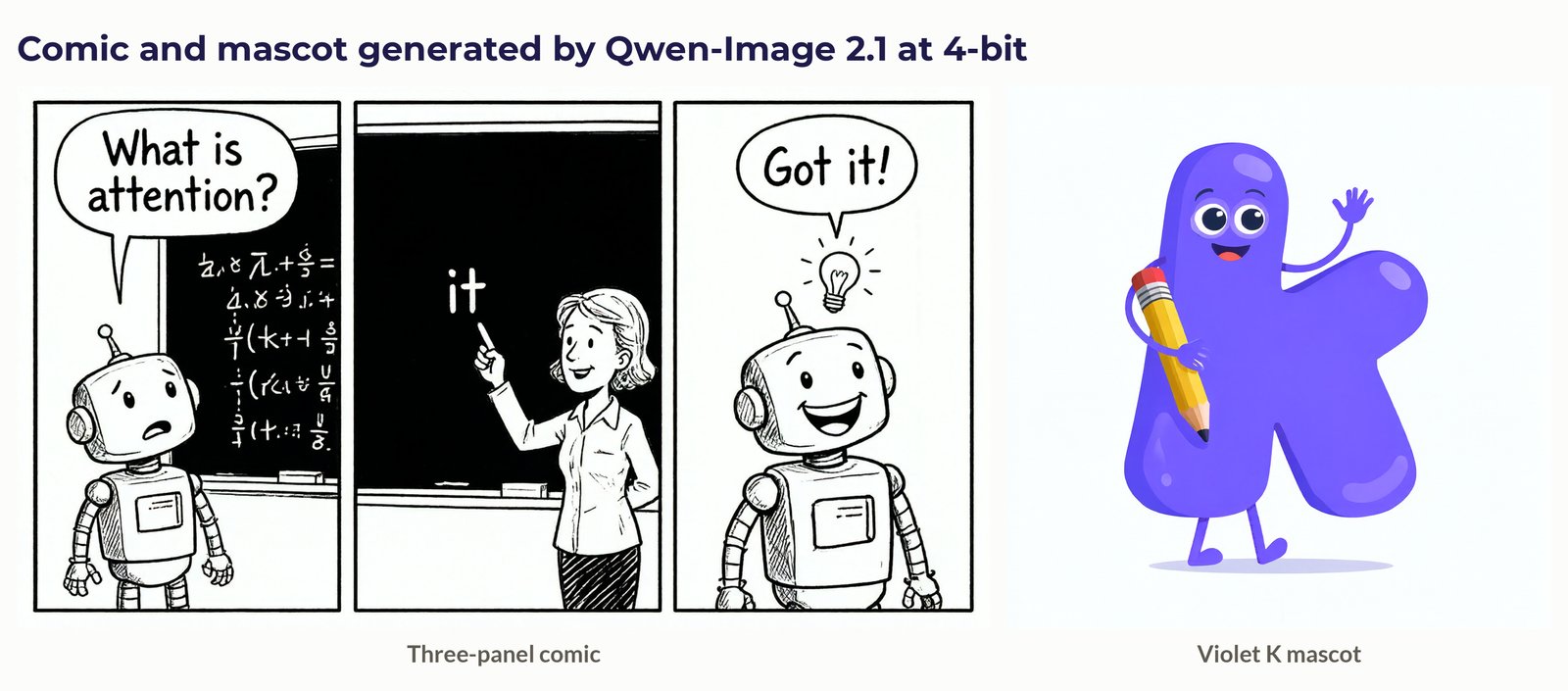
Cartoons and Style
The comic kept the same robot in panels 1 and 3, and the mascot followed the brand colour.
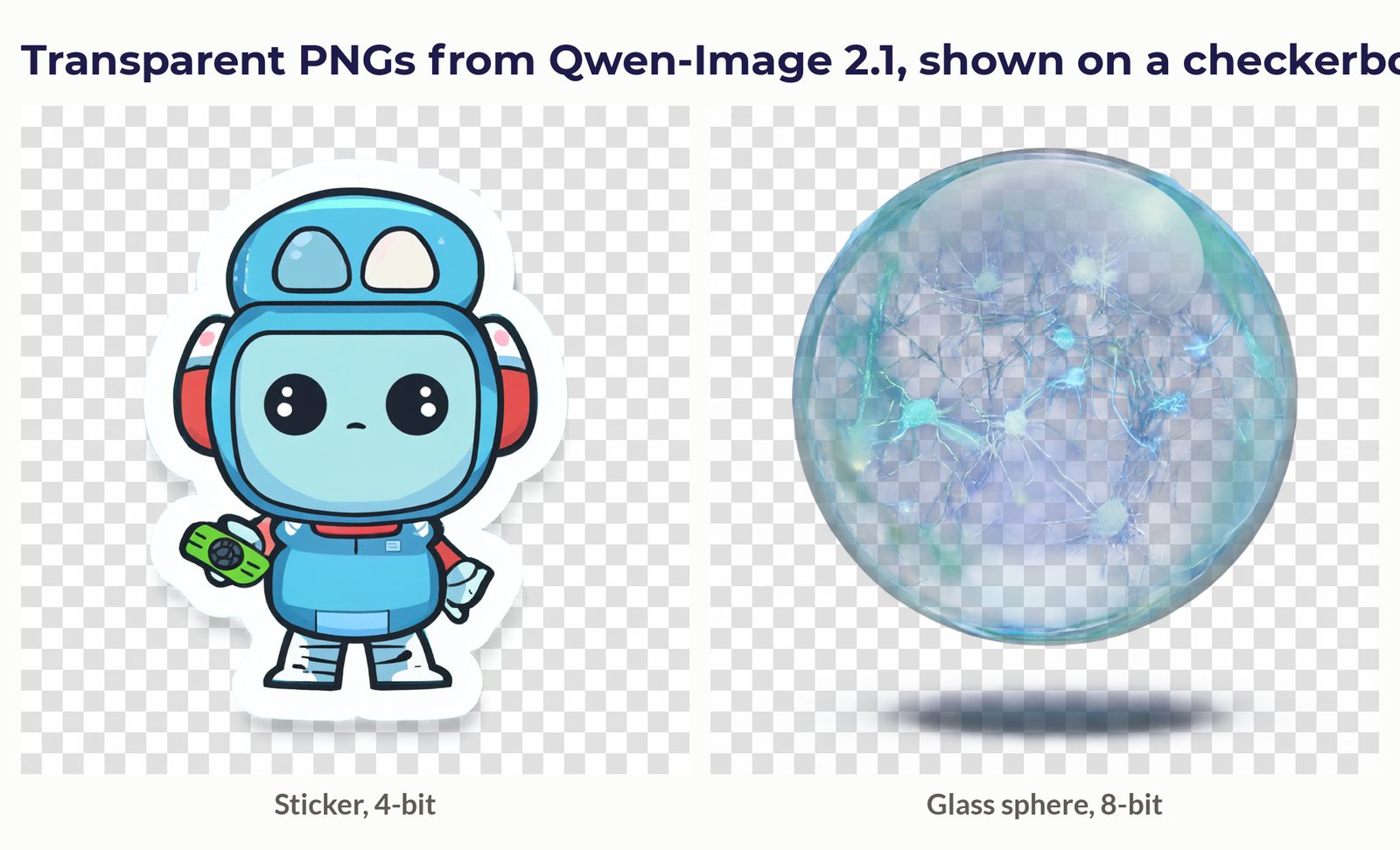
Transparent PNGs
The model outputs a real alpha channel, so the background is truly see-through. Both images are shown on a checkerboard.
Editing a Real Portrait
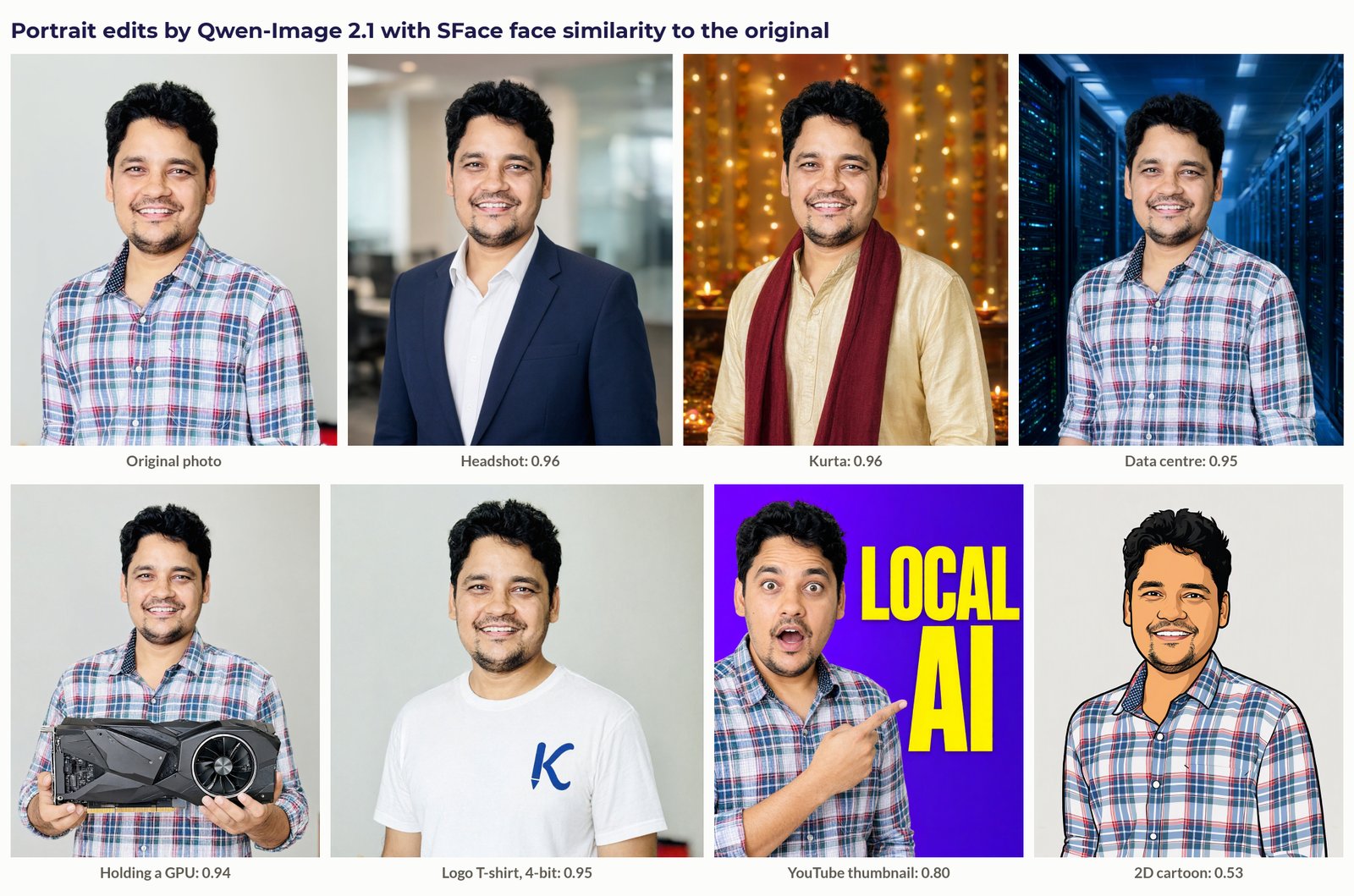
This was the strongest area. We scored identity with the SFace face-recognition model, where 0.363 is the same-person threshold and the original photo against its own cutout scores 0.95. The realistic edits score just as high. The cartoon scores lower because the face is redrawn, but it still clears the threshold.
Where Does It Break?
- Code in images: a six-line Python snippet came out garbled at both precisions, with invented extra lines. Keep code as text.
- Exact counting: asked for four graphics cards, the 4-bit run drew eight.
- Some edits: the suit edit put a second copy of the person on the stage screen, "remove the background" returned a faded cutout, and a 16:9 banner came out at 2048x512.
- Reference images at 8-bit: two references need a 25.6 GB peak. That ran out of memory with 5.7 GB held by background apps and worked with 3.1 GB. Ten references did not fit. At 4-bit, two references peaked at 19.1 GB.
How Much VRAM Does It Need at 8-bit and 4-bit?
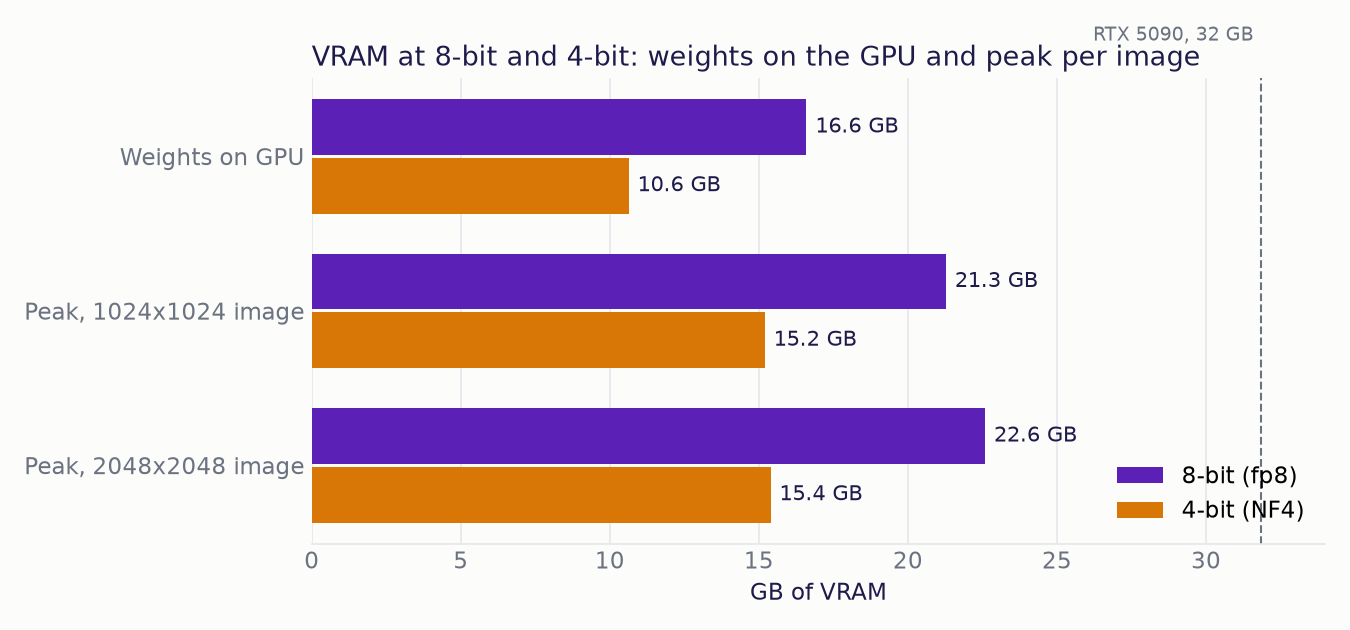
4-bit needs 6.0 to 7.2 GB less at every stage:
- Weights on the GPU: 16.6 GB at 8-bit, 10.6 GB at 4-bit.
- Peak for a 1024x1024 image: 21.3 GB at 8-bit, 15.2 GB at 4-bit.
- Peak for a 2048x2048 image: 22.6 GB at 8-bit, 15.4 GB at 4-bit.
With a 15.4 GB peak, 4-bit should fit a 24 GB card, though we did not test one.
How Fast Is It at 8-bit and 4-bit?
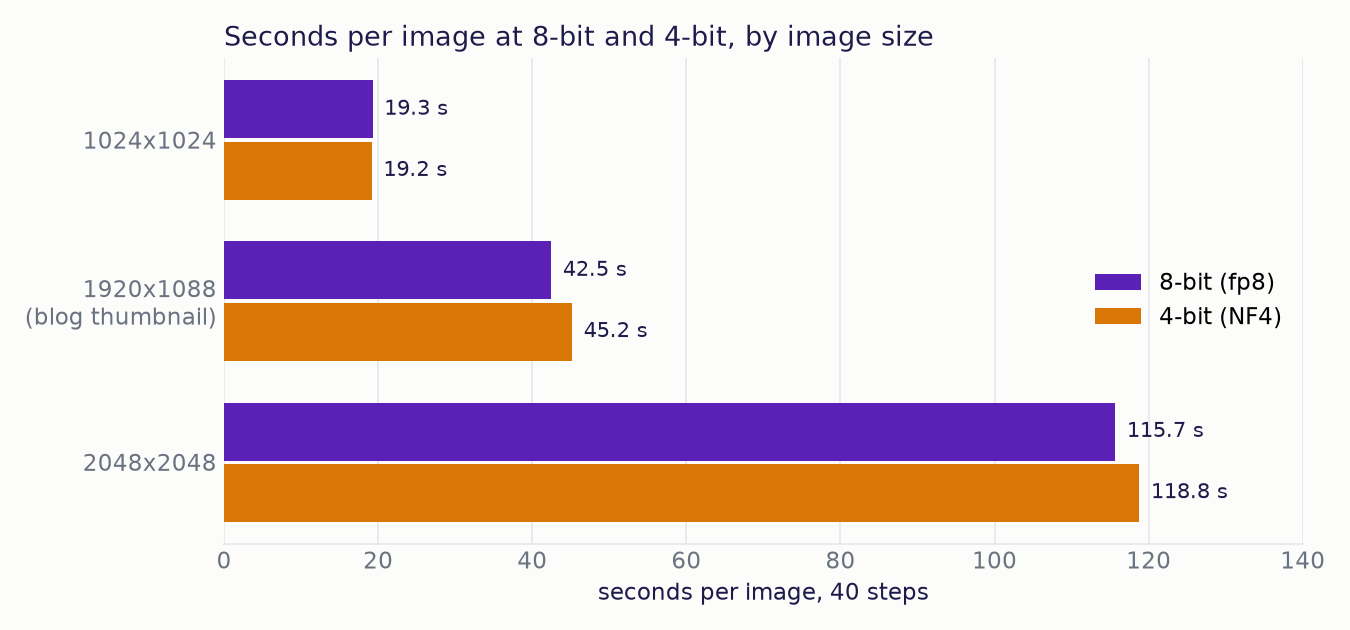
4-bit stays within 7% of 8-bit:
- 1024x1024: 19.3 s at 8-bit, 19.2 s at 4-bit.
- 1920x1088 blog thumbnail: 42.5 s at 8-bit, 45.2 s at 4-bit.
- 2048x2048: 115.7 s at 8-bit, 118.8 s at 4-bit.
Four times the pixels takes six times as long, because attention cost grows with the square of the token count.
What Does One Image Cost Next to GPT Image 2 and Nano Banana Pro?
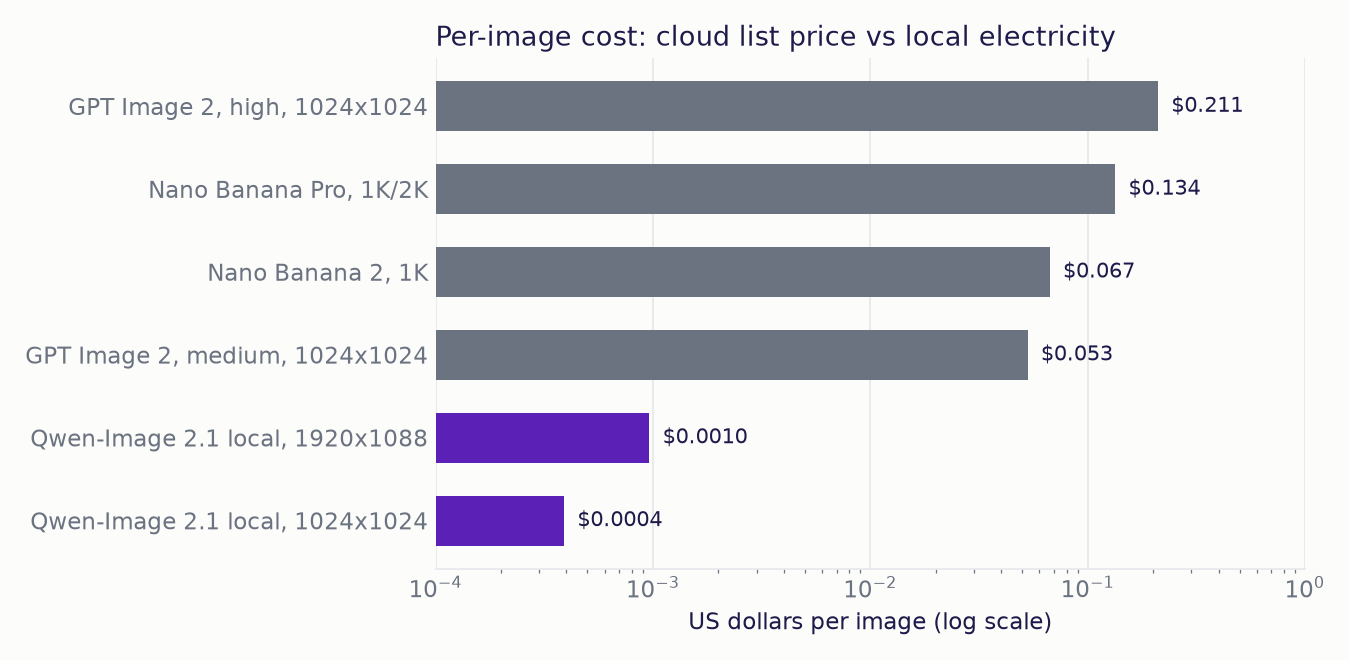
Cloud list prices, checked on 21 September 2026:
- Nano Banana Pro: $0.134 per 1K/2K image, and Nano Banana 2: $0.067 per 1K image (Google's Gemini API pricing page).
- GPT Image 2: $0.053 (medium) and $0.211 (high) per 1024x1024 image, from a third-party calculator built on OpenAI's rate of $30 per million image-output tokens.
The local cost is derived. The GPU used 2.60 Wh per 1024x1024 image and 6.43 Wh per 1920x1088 thumbnail (NVML, 8-bit). At an assumed $0.15 per kWh, that is $0.0004 and $0.0010 per image. A local 1024x1024 image is 136 times cheaper than GPT Image 2 medium and 343 times cheaper than Nano Banana Pro.
For 300 thumbnails a month, Nano Banana Pro would cost $40.20 and GPT Image 2 high $63.30, against about $0.29 of GPU electricity. These derived figures leave out the price of the GPU, the rest of the PC's power, and retries.
Note
This compares cost only. We did not run the same prompts through GPT Image 2 or Nano Banana Pro, so there is no side-by-side quality claim here.
Limitations
- One seed per prompt for the 4-bit run and the showcase (the 8-bit set used 3 seeds; we show seed 11).
- No bf16 baseline, so we cannot say what quantization costs against full precision.
- One GPU on Windows at stock diffusers settings (no torch.compile; Triton is not available on Windows).
- Energy is GPU board power only, not the whole PC.
Conclusion
At 4-bit, Qwen-Image 2.1 runs on one consumer GPU with a 15.4 GB peak, at nearly the speed of 8-bit. Its thumbnails, diagrams, slides, comics, transparent stickers and photo edits are good enough to publish. A blog thumbnail takes 45.2 s and about a tenth of a cent in electricity. Code, exact counts and a few edit types still need a human check.
This is how Qwen-Image 2.1 performs on one RTX 5090: strong images and edits, 4-bit memory savings at almost no speed cost, and a per-image cost two orders of magnitude below paid APIs for anyone who already owns the GPU.
Note
How we kept the numbers clean. A guard kept PyTorch below the free VRAM and flagged any spill into system RAM; every result here ran with no spill. We discarded two earlier runs (an untiled VAE decode, and a large image that spilled), an unfinished int8 run, and a planned sweep over seven quantization setups. fp8 uses per-tensor scaling because per-row scaling is not supported on this Windows build, and NVFP4 was not run because its kernels need Triton. Software: torch 2.11.0+cu128, diffusers 0.41.0.dev0 (git main), transformers 5.17.0, torchao 0.18.0 and bitsandbytes 0.50.2.